Choose around the learning activity: programming a rolling, enclosed robot or assembling and extending a wheeled kit. Confirm the school device fleet, accessibility needs and required software before purchasing.
2 models · 7 specification fieldsEvidence checked 28 October 2026No common performance test
The published specifications
Compare the facts.
Read each number with its qualification. Sources are linked beside the exact claims they support.
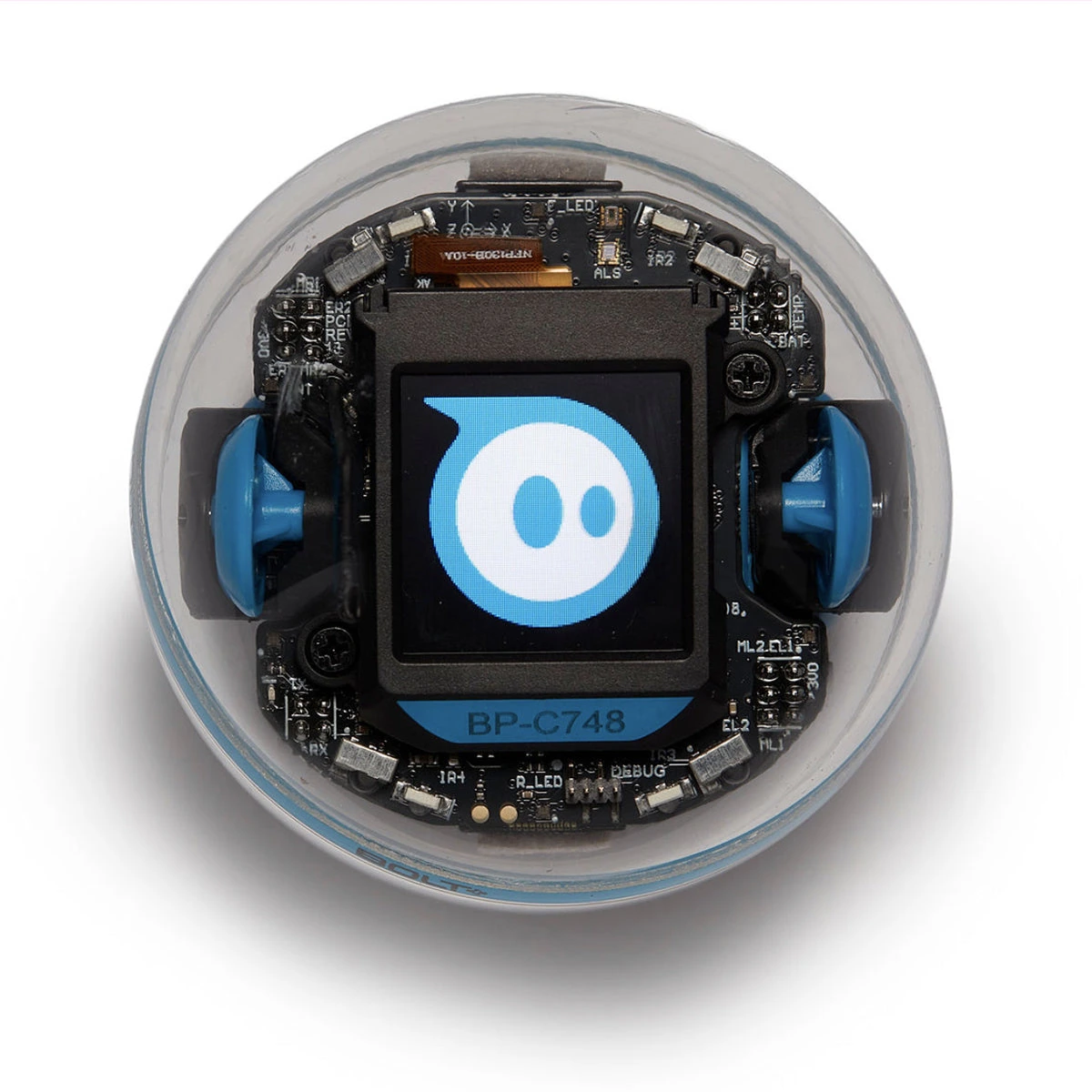
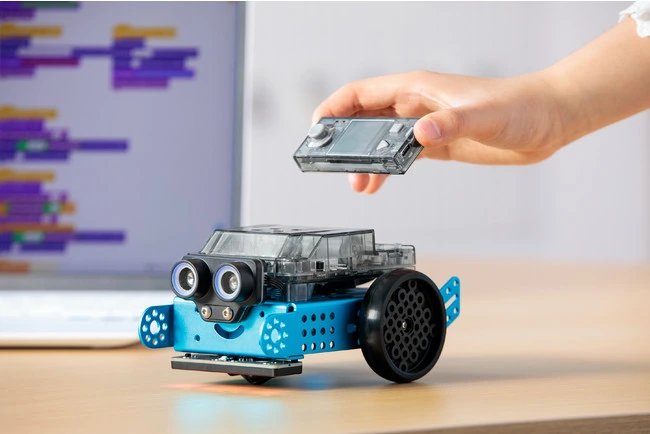
Sphero BOLT+Unofficial coverage of Sphero BOLT+; single-robot product image.Sphero, Inc. · Use policyProportional downsize to a maximum 1200px edge and WebP encoding only; original framing and markings retained.Trademarks are the property of their respective owners. Sphero®, the Sphero logo, and BOLT+® are trademarks of Sphero, Inc. dba Sphero. All rights reserved.Official model information ↗Makeblock mBot2 / mBot NeoStandard mBot2 configuration.Makeblock / PR TIMES · Use policyProportional downsize to a maximum 1200px edge and WebP encoding only; original framing and markings retained.Official model information ↗
Sphero Edu programming and free educator resources via Sphero Central[source]
Assembly, programming examples and component documentation in Makeblock support[source]
Comparison limit: “All-day classroom use” and an approximate playtime claim are not a common battery test. Package contents and supported software can vary, so check the exact bundle before ordering.
On smaller screens, swipe the table horizontally. Each model is a separate column.
Sphero
Sphero BOLT+
An enclosed rolling robot for coding, animation and sensor-led classroom activities.
Confirm before specifying
Continuous-motion runtime under a comparable test
Compatibility with a specific managed school device
Exact contents of a selected single-robot or classroom bundle
Configuration & evidence notes
BOLT+ differs from the older BOLT, which uses an 8 × 8 LED matrix.
Confirm app/OS support and package contents. A quoted school day is not a measured continuous-runtime benchmark.
BOLT+ is an enclosed rolling robot with a programmable display. mBot2 / mBot Neo is an assembly-based wheeled kit with a CyberPi controller. Compare the activity, classroom setup and device compatibility before comparing battery claims.
Questions for the supplier
Is the aim coding activities, mechanical assembly, or both?
Will the required app work on your managed devices and school network?
Which sensors and learning materials are included in the selected package?
How to use this pair
Choose whether mechanical assembly is part of the learning objective.
Verify required apps on the actual school devices and managed network.
Check classroom-kit contents, charging, spare parts and accessibility needs.
Trace the evidence
Sources for this comparison
Manufacturer claims are attributed. Publication dates are listed only where the source gives them.